Apple Music VP: Most people can’t really hear the difference with lossless, but they can with Spatial Audio
In a candid discussion on audio quality, Apple Music’s Oliver Schusser acknowledged that for the average listener, lossless audio often doesn’t deliver a perceptible upgrade in everyday scenarios like listening on an iPhone with headphones.
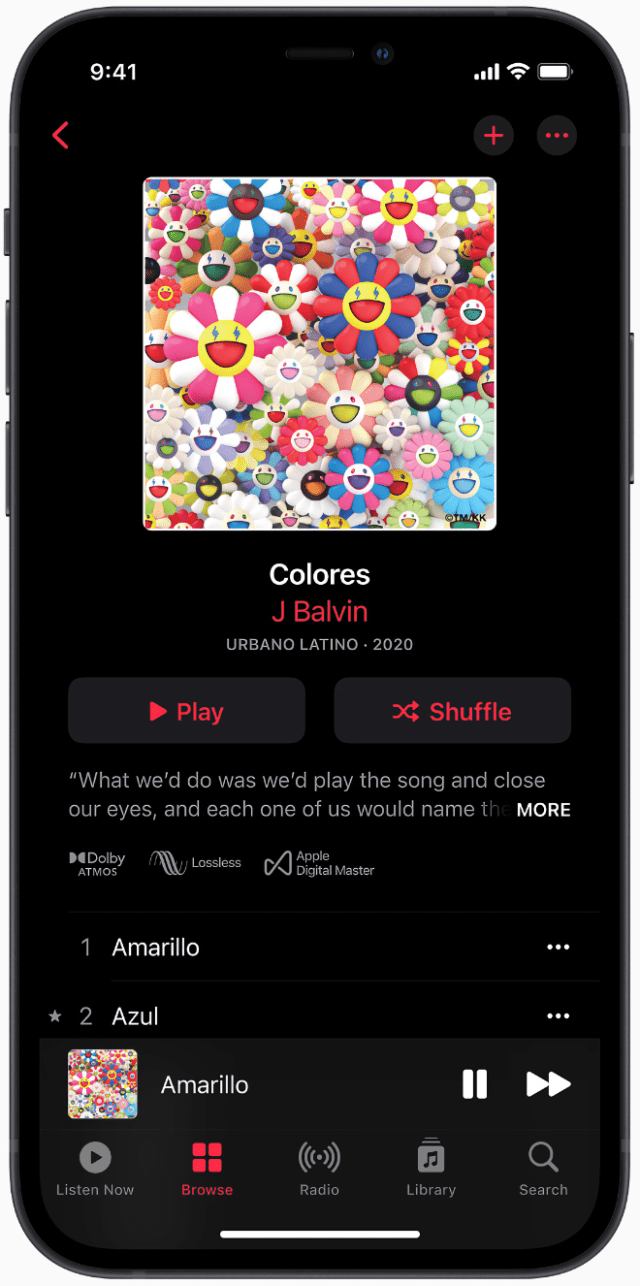
Spatial Audio with Dolby Atmos and Lossless Audio arrived for Apple Music subscribers in June 2021.
In a candid discussion on audio quality, Apple Music’s Oliver Schusser acknowledged that for the average listener, lossless audio often doesn’t deliver a perceptible upgrade in everyday scenarios like listening on an iPhone with headphones. Spatial Audio, however, is a different story — it’s the format that actually moves the needle for most fans.
Robinson:How often do conversations about your hardware products [like AirPods] come into play when you’re developing new products at Apple Music [like high fidelity listening and Spatial Audio]?
Schusser: To the consumer, the magic really happens when the hardware, the software, and services talk to each other and build groups of great experiences. And I actually think that spatial audio, and the work we did with Dolby Atmos, is almost one of the best examples of it.
If you look at audio, changing audio standards are hard. And if you look back over like 60 years, there’s only really been mono [and then eventually stereo]. [At Apple Music] we wanted to create a new standard with two distinctive criteria. One: we thought it’s important that people — general people, fans — can notice the difference. And number two: we wanted it to work on as many, if not all, devices. Not just Apple devices, but just in general. So, lots of people said lossless is the answer. I heard this from record labels: ‘You gotta do lossless.’ But what they didn’t notice is that lossless actually doesn’t work over Bluetooth. So, when you have a wireless connection, lossless doesn’t actually work. And in the days of AirPods and wireless headphones, the vast majority of people didn’t have wires. So there were lots of people out there not even noticing that.
Robinson:I do agree that most average people can’t really hear the difference with lossless.
Schusser: Correct. My second point is: honestly, if we did an anonymous [blind] test on just an iPhone with headphones — and you and I work in the industry, and I assume you like sound as much as I do — I can tell you most fans wouldn’t be able to tell the difference. But that’s what we did with spatial audio. And this required really a collaboration — not just [with Apple], but with lots of people. We worked with Dolby on creating [sound that comes] not from two sides, but really from everywhere. And it actually worked on pretty much all devices, all headphones, all of our [products], on iPhone, on Mac, but also on pretty much any other device. [There was] one downside: there were only roughly 5,000 songs in the world that had already been mixed and mastered in [spatial] audio. So, we [had] to go and upgrade all the studios in the world and also educate the sound engineers on what this new canvas looked like.
MacDailyNews Take: Schusser nails it: Most people can’t really hear the difference with lossless audio — but they sure can with Spatial Audio.
Leave it to Apple to cut through the audiophile noise with refreshing honesty. While the industry was busy pushing “lossless” as the next big thing, Apple Music’s Oliver Schusser rightly pointed out that for the vast majority of listeners — even on an iPhone with headphones — lossless often falls flat in blind tests. It simply doesn’t deliver a noticeable upgrade in the wireless, everyday world most of us actually live in.
Spatial Audio, on the other hand? That’s the real game-changer. With Dolby Atmos, music doesn’t just play — it envelops you. Instruments and vocals float around your head with breathtaking depth, clarity, and immersion that actually moves the needle for real people. It’s not subtle marketing hype; it’s a transformative listening experience that works on virtually any headphones and turns your favorite tracks into something magical.
This is Apple at its best: focusing on what users can actually experience instead of chasing specs that only a tiny fraction can appreciate. Spatial Audio isn’t just better sound — it’s the best way to experience music. If you haven’t turned it on in Apple Music yet, you’re missing out on the most significant audio leap since stereo. Highly recommended.
How to turn on Spatial Audio (Dolby Atmos) in Apple Music
On iPhone or iPad (easiest and most common method):
Open the Settings app.
Scroll down and tap Apps (or Music directly in some iOS versions).
Tap Music.
Tap Dolby Atmos.
Choose one of these options:
• Automatic — Recommended. Plays Spatial Audio with Dolby Atmos automatically when using compatible headphones (like AirPods, AirPods Max, or Beats) and a supported song is playing. • Always On — Forces Dolby Atmos playback for all supported tracks.
You can also enable Download in Dolby Atmos in the same menu so songs download in Spatial Audio format when available.
For dynamic head tracking (full Spatial Audio experience):
If you’re using AirPods Pro, AirPods Max, or compatible Beats headphones that support head tracking:
Swipe down from the top-right corner to open Control Center.
Touch and hold the volume slider.
Tap the Spatial Audio button in the lower right and select Head Tracked (or Fixed/Off).
On Mac:
Open the Music app.
From the menu bar, choose Music > Settings (or Preferences).
Click the Playback tab.
Under Dolby Atmos, select Automatic or Always On.
Tip: Look for the Dolby Atmos badge on album artwork or the Now Playing screen — this confirms the track supports Spatial Audio.
Once enabled, supported songs in your Apple Music library will play with immersive, theater-like sound that places instruments and vocals all around you. It works great with any Apple or Beats Bluetooth headphones, and the difference is often immediately noticeable compared to regular stereo.
Please help support MacDailyNews — and enjoy subscriber-only articles, comments, chat, and more — by subscribing to our Substack: macdailynews.substack.com. Thank you!




No comments:
Post a Comment